
Keycyte PAM 3.2 · Administrator Guide
Dashboard
The Dashboard is the first page that opens after you sign in. It gives an overview of the objects that you manage, the current session activity and the health of the stored passwords.
To open it, click Dashboard in the menu. An ADMIN needs the View permission for Dashboard. For an ADMIN, the counts, charts and session lists cover only the objects that the ADMIN owns; Active Users, Resources and System Information are not filtered.
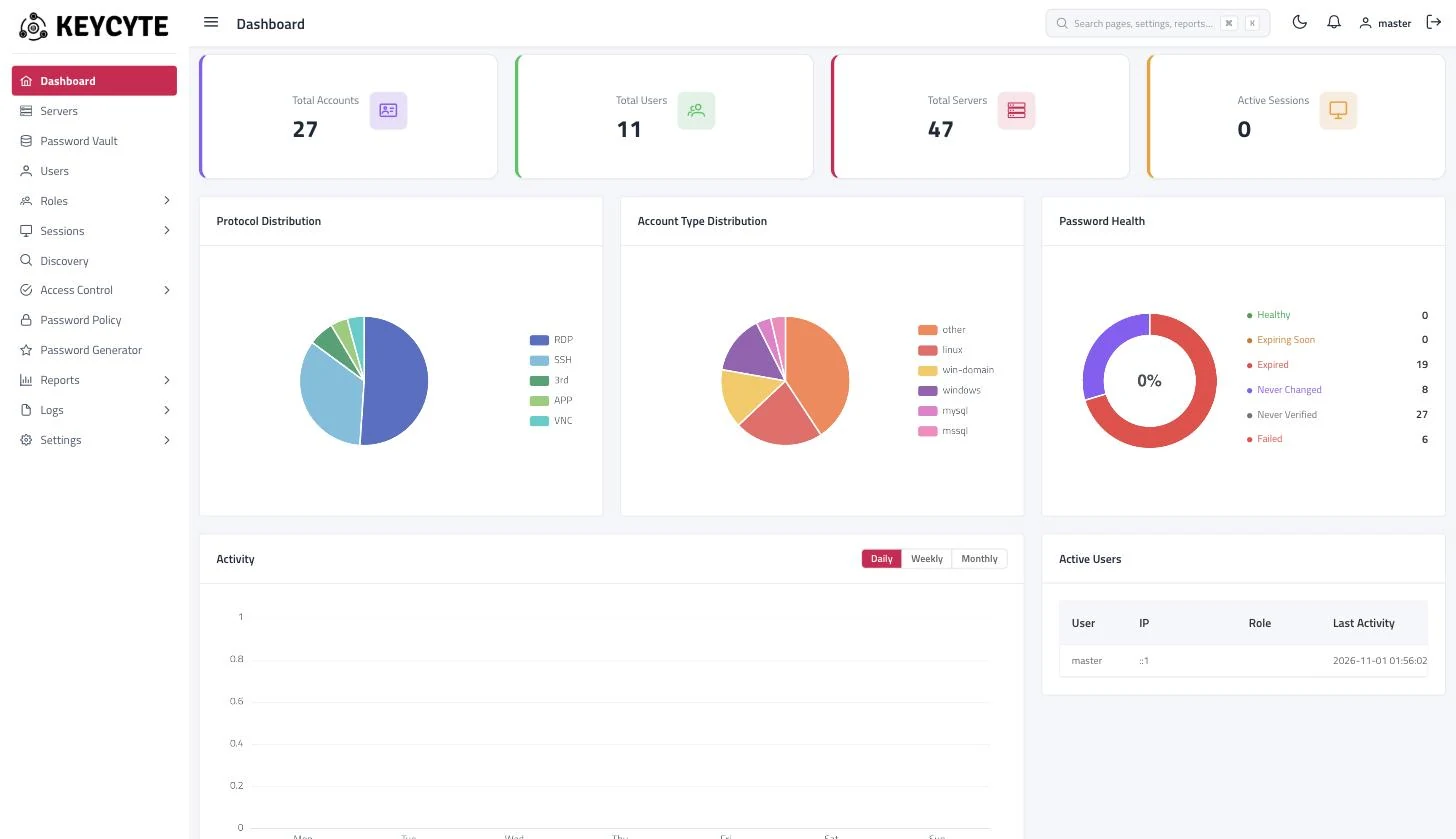
Dashboard Widgets
| Widget | Description |
|---|---|
| Total Accounts, Total Users, Total Servers, Active Sessions | Number of password vault accounts, users, servers and sessions that are open now. |
| Protocol Distribution | Servers grouped by connection protocol. |
| Account Type Distribution | Password vault accounts grouped by account type. |
| Password Health | Password vault accounts grouped by password state: Healthy, Expiring Soon (the password expires within 7 days according to its password policy), Expired, Never Changed, Never Verified and Failed (the last verification failed). |
| Activity | Number of sessions over time. Select Daily (last 7 days), Weekly (last 4 weeks) or Monthly (last 12 months). |
| Active Users | Users who are signed in to Keycyte PAM now, with their role and last activity. |
| Recent Sessions | The latest sessions with user, server address, protocol and duration. |
| Security Alerts | Recent failed sign-in attempts, the number of expired passwords and the number of accounts whose verification failed. |
| Resources | CPU, memory and disk usage of the Keycyte PAM host. |
| System Information | Host name, IP address, uptime, manufacturer and version of the Keycyte PAM host. |
| Quick Access | Shortcuts to Add Server, Add User, View Logs and Generate Password. Each shortcut is shown only if you have the permission it needs. |
Tip
Accounts that appear as Expired or Failed in Password Health usually need attention: check the password policy and the result of the last password change in Password Vault. For details, see Changing Passwords.